What Is Customer Data Integration? A 2026 Guide for IT and RevOps Teams

Customer data integration is the process of connecting the systems that hold customer information, such as a CRM, a support desk, and a marketing platform, so information moves between them automatically and stays consistent. Instead of exporting spreadsheets or re-typing the same contact record into three different tools, integration keeps every team looking at the same, current picture of the customer, without necessarily creating a new database to store or secure.
If you have ever watched a sales rep and a support agent argue about whose record of a customer is the correct one, you already understand the problem customer data integration solves, even if nobody in the room called it that. Multiply that argument across every team that touches a customer, from marketing to renewals, and you get a familiar 2026 IT reality: more tools than ever, and less agreement than ever about what is actually true.
Why Customer Data Keeps Ending Up in Silos
Customer data silos are rarely the result of bad decisions. They are the result of dozens of reasonable ones, made by different teams, at different times, for different reasons. Marketing picks a platform built for campaigns. Support picks a helpdesk built for tickets. Sales picks a CRM built for pipeline. Each choice is sensible on its own. Together, they create a maze.
The scale of that maze is bigger than most IT leaders expect. According to Salesforce's Connectivity Report, the average enterprise now uses 897 applications, yet only 29 percent of them are actually integrated. That leaves the large majority of business systems, including the ones holding customer data, disconnected from one another by default.
The customer-facing cost of that disconnection is well documented. Gartner research has repeatedly found that only a small minority of organizations, around 14 percent in one widely cited survey, have achieved a genuinely unified view of their customers. Everyone else is reconstructing that view manually, one spreadsheet or one Slack message at a time.
For IT and RevOps teams specifically, the pain shows up as a steady stream of low-grade fires: duplicate leads, support tickets missing account context, renewal dates that live in someone's inbox instead of the CRM, and integration requests that pile up faster than a small IT team can build custom connectors for them.
The Industry Is Waking Up to the Cost of Disconnected Data
Customer data integration used to be treated as back-office plumbing. That has changed, largely because of AI. Modern AI and automation initiatives are only as good as the data they can see, and disconnected systems quietly undermine them before they even launch.
The same Salesforce research cited above found that 95 percent of IT leaders now name integration, not algorithms or compute, as the primary barrier to effective AI adoption. In other words, the industry has caught up to something integration teams have known for years: you cannot automate, personalize, or forecast around a customer record that only half of your systems agree on.
This is pushing IT and RevOps teams toward a different question than they used to ask. Instead of 'which system should own customer data,' more teams are now asking 'how do we keep every system in sync, without building and maintaining a pile of custom code to do it.'
A Better Way to Move Customer Data (Without Moving House)
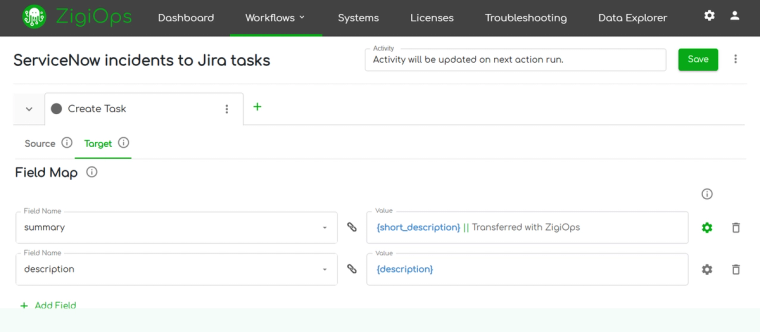
There are a few common ways to answer that question, and they are not all equal. Some approaches ask you to centralize everything into a brand-new database. Others ask your developers to hand-build and maintain a web of custom API scripts. A newer category of tool takes a different approach entirely: connect the systems you already have, sync data between them directly and in real time, and skip creating a new place for that data to live.
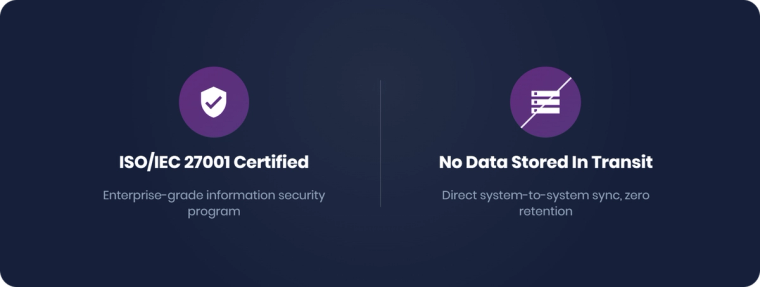
That last approach is where no-code integration platforms fit in. ZigiOps, for example, connects popular CRM, ITSM, DevOps, and monitoring tools through a guided, point-and-click interface, so IT teams can configure a customer data sync without writing a line of code. It is built as a standalone application rather than a plugin bolted onto one of the connected systems, it does not store any of the data it moves, and it runs under an ISO/IEC 27001-certified information security program, which matters a great deal to security teams reviewing any tool that will touch customer records. There is also no cap on the number of transactions it processes, so a busy renewal season will not suddenly trigger a new invoice line.
5 Practical Steps to Start Integrating Your Customer Data
- Map where customer data actually lives today. List every system that stores or updates a customer record, not just the CRM. Most teams are surprised by how long this list gets.
- Identify the two or three systems causing the most manual work. Look for the integration that would remove the most tickets, spreadsheets, or copy-paste steps, and start there instead of trying to connect everything at once.
- Decide between syncing and duplicating. A direct, real-time sync between existing systems is usually lighter to secure and maintain than routing everything through a new centralized store.
- Agree on field mapping before connecting anything. Decide which system is the source of truth for each field, such as email address or account status, before data starts flowing both directions.
- Start with one bi-directional workflow, measure the impact, then expand. A single working integration, like CRM-to-helpdesk account sync, builds the case and the confidence for the next one.
Step five is where a guided, no-code platform earns its keep. Instead of scoping a developer sprint for every new connection, teams can configure a workflow like Salesforce-to-ServiceNow or Microsoft Dynamics 365-to-Zendesk account sync directly in ZigiOps' UI, test it against real data, and adjust field mappings without redeploying any code.
Comparing the Common Approaches to Customer Data Integration
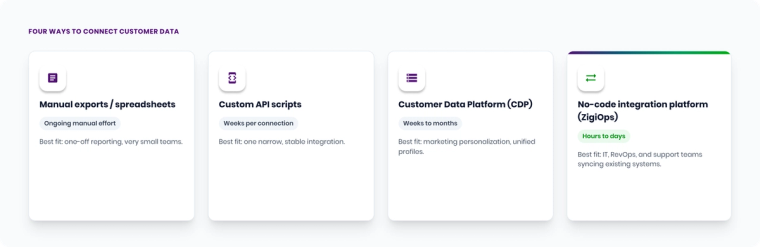
| Approach | Coding Required | Stores a Copy of the Data | Real-Time Sync | Typical Setup Time | Best Fit |
|---|---|---|---|---|---|
| Manual exports / spreadsheets | No, but manual | Yes (in files) | No | Ongoing manual effort | One-off reporting, very small teams |
| Custom point-to-point API scripts | Yes, developer-built | Depends on design | Yes, if maintained | Weeks per connection | One narrow, stable integration |
| Customer Data Platform (CDP) | Minimal, but needs setup | Yes, centralizes a new copy | Usually yes | Weeks to months | Marketing personalization, unified profiles |
| No-code integration platform (e.g., ZigiOps) | No, 100% code-free | No, syncs directly, no new store | Yes, bi-directional | Hours to days | IT, RevOps, and support teams syncing existing systems |
Where to Go From Here
If your team is dealing with the Salesforce and Jira version of this problem specifically, our Jira and Salesforce integration guide walks through that workflow in more technical depth. You can also browse the full set of supported integrations to see which of your current systems already have a guided, no-code path between them, or explore more integration guides in the ZigiWave resource library.
If you want to see your own customer data connected live, bring one system pairing, like your CRM and helpdesk, and book a demo for a working ZigiOps environment, no code and no new database required.
Frequently asked questions
What is customer data integration?
Customer data integration is the process of connecting the systems that hold customer information, such as a CRM, helpdesk, and marketing platform, so that records update automatically across all of them. It replaces manual exports and copy-pasting with a live, synchronized flow of data between the tools teams already use.
What is customer data integration software?
Customer data integration software is a platform that automates the connection between business systems so customer records stay consistent everywhere. No-code tools like ZigiOps handle this through a guided interface, letting teams map fields and set sync rules without writing custom API code.
Is customer data integration the same thing as a Customer Data Platform (CDP)?
Not quite. A CDP typically pulls customer data into a new, centralized database built for marketing personalization. Customer data integration is broader: it can sync data directly between existing systems, such as a CRM and a ticketing tool, without necessarily creating a new data store at all.
Can customer data integration work without storing a copy of the data?
Yes. Platforms built for direct system-to-system sync, rather than centralized storage, move data between connected tools in real time and do not retain a separate copy. ZigiOps, for example, is built this way by design, which matters for teams with strict data residency or privacy requirements.
How long does it take to set up a customer data integration?
With custom-built, code-based integrations, it commonly takes several weeks per connection. With a guided, no-code integration platform, a first working sync between two systems can often be configured in hours to a few days, since there is no custom development or API documentation to work through first.