Top 7 system integration challenges in 2025

System integration is the process of combining different software subsystems so they operate as a single source of information, with data collected by each system distributed automatically between them whenever needed. It provides organizations with a 360-degree view of the business while still allowing teams to zoom into specific processes and workflows.
Companies that adopt system integration as a backbone of their IT infrastructure resolve a recurring problem: teams using separate subsystems that require manual data transfer between them. That manual transfer is time-consuming, exhausting, and prone to inaccuracies and cross-team misunderstandings.
Building the right system integration strategy maintains an uninterrupted data flow between the different systems your organization uses and makes sense of the data you already have. It is not always easy, though: integration comes with several key challenges, and it is important to be aware of them to choose the right integration tool for your business, or risk creating bottlenecks or ending up with the wrong platform.
The Basics of System Integration
Systems integration is a complex process that requires attention, research, and knowledge of the organization's current and future needs. When done properly, companies benefit from boosted effectiveness, team productivity, and better goal achievement. There are a few critical components of each successful system integration:
• Outlining Requirements: Gaining a deep understanding of the organization's IT demands, including data transfer volumes, integration types (one-way or two-way), and future growth plans, to make better decisions about system integration solutions.
• Evaluating Integration Solutions: A comprehensive analysis of solutions that align with desired criteria, considering the three prevalent integration tool types: code-based, low-code, and no-code.
• Implementation Process: Actual implementation typically takes between six and twelve months, depending on the chosen platform, the number and comprehensiveness of systems to integrate, IT team preparation, and the state of the organization's IT ecosystem.
• Maintenance: Closely tied to the capabilities of the IT team, the company's resources, and the stability of the IT infrastructure. Continuous support ensures the longevity and optimal performance of the integrated systems.
It is vital to assess the capabilities of each solution you are considering and see whether it can help solve the challenges you are facing. When selecting your integration vendor, remember to watch out for underwater stones, too.
Code-Based vs. Low-Code vs. No-Code: A Quick Comparison
| Integration approach | Best for | Trade-off |
|---|---|---|
| Code-based (custom scripts / bespoke development) | Highly specific, non-standard requirements with in-house dev capacity | Slowest to build, highest long-term maintenance cost, breaks on API changes |
| Low-code platforms | Teams with some technical skill who want faster builds than pure custom code | Still requires some scripting knowledge for edge cases |
| No-code integration platforms (e.g. ZigiOps) | Non-technical IT, ITOM, and service management teams needing fast, reliable, two-way sync | Less suited to highly bespoke, one-off application logic outside standard integration patterns |
Top 5 System Integration Challenges
In this section, we outline the most important system integration challenges companies face today, along with tips on how to tackle them.
1. Data Is Collected in Silos
Data silos are a major issue for businesses. If each department uses its own systems without connecting them to the rest of the software ecosystem, data gets collected from lots of disparate sources that aren't in sync. This makes it difficult to get a clear overview of business processes or maintain seamless communication between teams.
Large informational silos that aren't connected to the rest of the organization make data difficult to access and use, turning it into a liability instead of an asset.
Comprehensive integration solutions facilitate key business decisions by giving stakeholders instant access to up-to-date, enriched data from all business areas, such as service availability, system performance, risk and security assessments, progress on development projects, customer satisfaction, and financial performance.
The right system integration platform allows each team to correlate data from different sources, which brings several benefits: faster error detection and resolution, automatically enriched and more useful data, improved decision-making from a more comprehensive overview, increased work quality and efficiency, enhanced data accuracy, and easier streamlining, optimization, and automation of internal IT processes.
2. Each Team Is Using Different Systems
In most organizations, each team uses systems they're familiar with and are hesitant to use the apps of peers, even if those apps provide highly valuable information and insights.
Each enterprise software serves its own purpose and was developed for a specific use case. The trouble begins when you have to align different systems to improve cross-team collaboration and make sure data is easy to access by everyone who needs it.
Although many apps come with basic integration capabilities out of the box, these often do not fully solve the challenges organizations face. If you need to connect systems in both directions, gather and correlate multiple types of data, or connect more than two apps together, a no-code integration platform is typically the better bet.
3. You Have Several Integration Use Cases
Cross-team and cross-company integrations can be incredibly complex. If you have multiple use cases to tackle simultaneously, things can quickly get out of hand.
Building a simple integration sequence in a lightweight automation tool is easy enough for basic use cases. But for more comprehensive integration scenarios, a platform without the right customization capabilities will struggle.
When faced with complex scenarios, some companies decide to develop integrations internally. This can seem appealing at first but is often a double-edged sword: budgets balloon easily, and few organizations have the necessary skill set readily available. A more cost-efficient alternative is a no-code integration platform like ZigiOps, with the customization capabilities to support advanced, two-way integrations, letting you set up integrations in minutes instead of days or weeks, even for complex use cases.
4. You Need to Scale Your Integrations
Scaling integrations can look simple at first: if you can forward ten incidents from ServiceNow to Jira, why would 100 or 1,000 be a challenge?
If you're not using a reliable integration solution, though, you'll soon start noticing delays or inconsistencies at higher data volumes. High availability is crucial for businesses, and that principle should extend to your integration platform. ZigiOps is designed with high availability (HA) in mind, so clients maintain system availability and uptime regardless of data volume or potential server failures. Each ZigiOps integration template is also infinitely scalable, fully customizable, and adaptable to any scenario.
5. You Need Two-way Integrations
Two-way integrations are a must, since they transfer and update data between the source and target systems in both directions. They aren't always easy to set up, though, and typically require a dedicated integration platform.
If you're only using an app's native integration features, you'll get stuck once you need two-way sync between two tools. Most apps that integrate with others offer only one-way connectivity, and many integration platforms don't feature truly two-way integrations either.
If you need to connect your software tools in both directions, a robust platform like ZigiOps offers hundreds of two-way templates out-of-the-box, while still allowing full customization to adapt to your exact use case.
Address the Most Common Integration Challenges to Improve Cross-Team Collaboration
System integration is not easy, and for many organizations, it comes with challenges that slow down data flows and negatively impact collaboration. Having the right data stack, one that fits every need and requirement of the enterprise, is crucial.
To help your teams perform well individually and work together efficiently, address these system integration challenges proactively. One of the best ways to do that is with a comprehensive no-code integration platform like ZigiOps.
Make sure the platform you select comes with the right customization features to meet your business needs, while also allowing you to connect your tools in both directions. This will enable your teams to stay in sync, cooperate efficiently, and solve issues together faster than ever.
Don't hesitate to book a demo and experience ZigiOps'comprehensive integration capabilities.

Challenge 3: Security Risks and Compliance Gaps
The Problem: As integration architectures grow more complex, they inadvertently expand the enterprise attack surface. Each API, data stream, and connector becomes a potential entry point for cyber threats. Furthermore, inconsistent security practices across integration points can lead to misconfigurations, data exposure, and non-compliance with stringent regulations such as GDPR, HIPAA, SOX, or PCI-DSS.
In an era of increased regulatory scrutiny and sophisticated cyberattacks, unsecured integrations are no longer an acceptable risk.
The Impact:
- Data breaches and unauthorized access to sensitive systems
- Fines and reputational damage from compliance violations
- Loss of customer trust and operational downtime
- Complex remediation and post-incident cleanup costs
Actionable Solutions:
- Adopt Zero Trust Security Models for Integration Layers: Apply Zero Trust principles — “never trust, always verify” — to internal APIs, data pipelines, and inter-service communication. Enforce strict identity verification, least-privilege access, and micro-segmentation.
- Use Strong, Industry-Standard Authentication Protocols: Protect integration endpoints with OAuth2, JWT tokens, and mutual TLS (mTLS) to ensure secure and verifiable communication between systems. These methods help prevent token hijacking, spoofing, and unauthorized access.
- Perform Continuous Security and Compliance Audits: Tools like Prisma Cloud, Lacework, Tenable, and Qualys can scan integration layers for misconfigurations, insecure APIs, and regulatory violations. Automate alerts and reporting to maintain a proactive security posture.
- Secure Integrations with ZigiOps: ZigiOps was built with enterprise-grade security in mind.
- Use SIEM platforms (e.g., Splunk, Elastic, or IBM QRadar) to consolidate encrypted logs from all integration points. Apply consistent security policies across platforms using policy-as-code frameworks like OPA (Open Policy Agent).

Challenge 4: Integration of AI/ML Workloads
The Problem: AI and machine learning are central to modern digital transformation strategies, yet integrating these workloads into enterprise systems remains a major hurdle. Traditional integration tools were not designed to handle the iterative, data-intensive, and dynamic nature of ML models. This results in difficulties around model deployment, monitoring, and continuous learning — all of which can derail the ROI of AI initiatives.
Without proper integration, even the most accurate model can become irrelevant due to poor data flow, lack of observability, or absence of feedback mechanisms.
The Impact:
- Model drift due to changing data distributions or delayed retraining
- Inconsistent or stale predictions in production environments
- Breakdown in trust and explainability of AI-driven decisions
- Wasted investment in AI infrastructure and data science talent
Actionable Solutions:
- Automate Model Lifecycle with MLOps Platforms: Use platforms like MLflow, Kubeflow, or SageMaker Pipelines to automate the end-to-end machine learning lifecycle — including training, versioning, deployment, and monitoring. This brings DevOps discipline to AI workflows.
- Serve Models Using Containerized, Portable Standards: Deploy models as RESTful APIs using frameworks like ONNX, TensorFlow Serving, or TorchServe. Containerize them with Docker and orchestrate via Kubernetes for consistent performance across environments.
- Design Real-Time Feedback Loops: Build integrations that capture inference outcomes and user interactions to fuel continuous model retraining. Use streaming tools like Kafka or Fluentd to route feedback into data lakes or retraining pipelines.
- Monitor AI-Specific Metrics: Tools like Prometheus, Grafana, and Evidently AI can track model accuracy, data drift, and prediction latency — ensuring issues are flagged before they impact production.
- Integrate ML Monitoring with ITSM via ZigiOps: Use ZigiOps to connect observability tools with IT service management platforms such as ServiceNow or Jira. For example, an anomaly detected in a model’s behavior can automatically trigger an incident, reducing time to resolution and improving ML reliability.
Challenge 5: Real-Time Data Integration at Scale
The Problem: As organizations increasingly rely on connected devices, microservices, and AI-powered automation, the volume, velocity, and variety of data have grown exponentially. Legacy integration patterns—particularly batch-based processing—can no longer keep up with the need for real-time insights and responsiveness. Without scalable, event-driven architectures, businesses struggle to act on streaming data when it matters most.
This gap leads to latency in operations, missed opportunities, and a widening disconnect between data generation and decision-making.
The Impact:
- Delayed incident detection and resolution in IT operations
- Outdated dashboards and KPIs affecting strategic decisions
- Bottlenecks in customer-facing workflows and digital experiences
- Strain on backend systems during data surges or peak loads
Actionable Solutions:
- Adopt Event-Driven Architectures (EDA): Use platforms like Apache Kafka, Apache Pulsar, or Redpanda to process and route high-volume event streams in real time. EDA enables services to react instantly to business events such as user actions, system anomalies, or sensor data.
- Pre-Process Data at the Edge: Reduce network and central system load by filtering, enriching, or aggregating data at the edge — near the source. Tools like AWS Greengrass, Azure IoT Edge, or Fluent Bit can help in edge data handling before transmission.
- Implement a Data Mesh Strategy: Move away from monolithic data lakes and adopt a data mesh architecture where individual teams own and expose their data as productized, discoverable services. This enhances scalability, governance, and cross-domain collaboration.
- Leverage ZigiOps for High-Throughput, Real-Time Sync: ZigiOps supports real-time, two-way synchronization across high-throughput IT ecosystems. It integrates platforms such as OpsBridge, Dynatrace, Jira, and ServiceNow, ensuring timely flow of critical observability and service data without the latency of batch processes.
- Auto-Scale Integration Services: Deploy integration microservices on Kubernetes or serverless platforms (e.g., AWS Lambda, Azure Functions) to dynamically scale based on demand. This elasticity ensures your systems can handle data spikes without downtime or throttling.

Challenge 6: Toolchain Fragmentation and Vendor Lock-in
The Problem: As enterprises scale and diversify, teams increasingly adopt specialized tools to meet local requirements — from ITSM and DevOps to data analytics and security. Over time, this leads to a fragmented toolchain where different departments rely on disconnected platforms, often locked into proprietary vendor ecosystems. These siloed tools inhibit data sharing, complicate integrations, and create brittle workflows that are difficult and expensive to evolve.
In many cases, organizations become dependent on a single vendor’s roadmap, pricing, or proprietary standards — limiting innovation and increasing long-term operational risk.
The Impact:
- Disjointed workflows between departments (e.g., IT, security, and engineering)
- High switching costs when tools no longer align with business needs
- Vendor-imposed limitations on features, performance, or scalability
- Slow onboarding of new tools due to lack of interoperability
- Increased technical debt from redundant custom connectors and workarounds
Actionable Solutions:
- Prioritize Open Standards and Interoperability: Choose tools and services that support widely adopted protocols such as REST, GraphQL, gRPC, OAuth2, and OpenAPI. This ensures better compatibility between platforms and simplifies long-term maintenance. Favor JSON, XML, or Avro over proprietary formats for data exchange.
- Implement Integration Hubs or ESBs: Enterprise Service Buses (ESBs) or modern integration hubs such as MuleSoft, WSO2, or Dell Boomi act as a central nervous system for enterprise systems. They decouple application logic from underlying platforms, allowing seamless data flow regardless of vendor.
- Develop Abstraction Layers for Flexibility: Introduce abstraction layers — either through middleware APIs or service meshes — that allow internal teams to interact with a unified interface, regardless of the underlying vendor system. This reduces coupling and increases agility when changing or expanding tools.
- Use ZigiOps to Eliminate Vendor Dependency: ZigiOps offers pre-built, no-code integrations for over 50 platforms — including ServiceNow, Jira, Dynatrace, BMC, Splunk, and more. By eliminating the need for custom API development and offering schema-aware mapping, ZigiOps enables agile integration across hybrid ecosystems without being locked into one vendor’s stack.
- Evaluate Tools Based on Fit, Not Brand Recognition: When selecting new platforms, focus on capabilities, extensibility, and ecosystem compatibility — rather than brand dominance or existing vendor relationships. Use a capability alignment matrix to map organizational needs against vendor offerings, ensuring you invest in tools that can grow with you.
- Future-Proof with Modular Architectures: Architect your systems for plug-and-play compatibility by adopting modular, container-based, and microservices architectures. This makes it easier to swap components without disrupting the entire ecosystem — critical for avoiding future lock-in.

Challenge 7: Lack of Skilled Integration Engineers
The Problem: System integration has evolved from simple API connections to managing complex, distributed architectures involving real-time data flows, AI/ML pipelines, and hybrid cloud environments. This shift requires engineers with deep knowledge in APIs, security, observability, data modeling, and more. Unfortunately, such cross-functional integration talent is scarce — especially as demand for automation and interoperability rises across industries.
The Impact:
- Project delays due to overreliance on a few experts
- Increased technical debt from poorly designed or improvised integrations
- High onboarding costs for new tools or platforms
- Fragile systems that break with minor API or schema changes
- Burnout among overburdened DevOps or ITSM staff tasked with ad hoc integrations
Actionable Solutions:
- Adopt No-Code/Low-Code Integration Platforms: Tools like ZigiOps, Workato, or Tray.io empower non-developers to build and maintain integrations using intuitive visual interfaces and pre-built connectors. These platforms significantly reduce the dependency on scarce engineering talent while maintaining governance and scalability.
- Establish an Integration Center of Excellence (CoE): Form a cross-functional CoE responsible for setting integration standards, reviewing architecture, and offering reusable templates and patterns. This team can serve as both an accelerator and a safeguard for integration initiatives across the organization.
- Upskill DevOps, SRE, and IT Teams: Launch structured training programs focused on modern integration patterns (e.g., REST, event-driven design, observability tooling, API gateways, security models). Platforms like Pluralsight, Coursera, or edX offer courses that help generalist engineers become proficient integration practitioners.
- Use AI-Assisted Integration Tools: Leverage platforms that offer AI-driven data mapping, schema validation, dependency visualization, and proactive alerting. These features help reduce errors, surface edge cases, and minimize manual debugging. Tools such as Boomi AI, or Azure Integration Services increasingly embed intelligence into the development workflow.
- Promote a Culture of Knowledge Sharing: Encourage internal documentation, peer reviews, and brown-bag sessions where integration learnings are shared across teams. Capture and distribute best practices to avoid reinventing the wheel for each new project.
Spotlight: ZigiOps as an Enterprise Integration Accelerator
ZigiOps is a powerful no-code integration platform designed for enterprise-scale environments. It enables:
- Two-way, real-time synchronization
- Secure, auditable workflows
- Field-level filtering and transformation
- Support for over 50 systems, including Jira, ServiceNow, Salesforce, Dynatrace, Azure DevOps, and more
Example Use Case: A global tech company uses ZigiOps to sync incidents between ServiceNow and Jira while enriching issues with data from Dynatrace in real time — reducing MTTR by 85%.
With support for hybrid and on-prem deployments, ZigiOps eliminates scripting, accelerates time-to-integration, and reduces overhead.
2025 Toolkit for Integration Engineers
A Strategic Guide to the Best Tools in System Integration
As digital transformation accelerates, Integration Engineers play a vital role in automating seamless data exchange, securing services, and ensuring scalable system interactions. This 2025 toolkit presents the most valuable tools across seven essential categories, with insights into their capabilities, use cases, and practical deployment tips.
1. iPaaS / No-Code Integration
Focus: ZigiOps
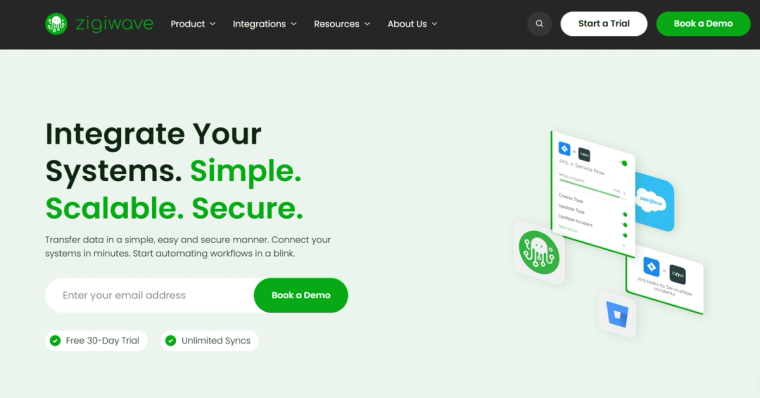
ZigiOps is a no-code integration platform tailored for complex enterprise environments. It excels in real-time, two-way integrations between ITSM systems, monitoring tools, CRMs, and DevOps platforms—without requiring scripting or manual API handling.
Key Capabilities
- Real-time, two-way data synchronization between platforms such as ServiceNow, Jira, Dynatrace, Salesforce, BMC Remedy, and Azure DevOps
- Visual data mapping and advanced transformation rules
- Deployment flexibility (on-premises, cloud)
- High-volume, low-latency architecture for enterprise scale
Pros
- 100% no-code, unlike many competitors requiring scripting for complex use cases
- Specializes in deep integrations within ITSM, ITOM, APM, and DevOps ecosystems
- Built-in field transformation and filtering logic for granular data control
- Highly secure with enterprise-ready access controls and audit capabilities
- Fast implementation with pre-built templates and connectors
Best Fit Industries
- Enterprise IT
- Telecommunications
- Financial Services
- Managed Service Providers
- Software Vendors (especially those offering IT-centric platforms)
Tips and Tricks
- Start with ZigiOps’ predefined templates (e.g., Jira ↔ ServiceNow) and adapt them to internal workflows
- Use field transformation functions to reformat values and apply conditional logic without scripting
- Schedule batch processing for legacy systems or low-priority data transfers
- Monitor integration performance through ZigiOps’ dashboard to ensure SLAs are met
Also Notable:
- Workato: Offers strong business process automation for departments like finance, HR, and operations. Useful for automating SaaS workflows.
- Tray.io: Ideal for mid-market businesses needing a user-friendly interface with hundreds of available connectors.
2. API Management
Tools: Kong, Apigee, Postman
Key Capabilities
- Full lifecycle API design, publishing, versioning, and governance
- Policy-based traffic management (rate limiting, caching, security)
- Developer portals for documentation and onboarding
- Real-time monitoring and analytics
Pros
- Ensures security and consistency across microservice APIs
- Streamlines public/private API management with centralized control
- Supports hybrid and multi-cloud architectures
- Reduces API exposure risks through authentication and authorization controls
Best Fit Industries
- Healthcare
- Telecommunications
- Financial Services
- Enterprise Software
- Government
Tips and Tricks
- Use Kong Konnect for federated API management across Kubernetes clusters
- Implement Apigee’s policy templates to simplify token validation, threat protection, and quota enforcement
- Automate contract testing in Postman with CI tools using Newman
3. Event Streaming
Tools: Apache Kafka, Apache Pulsar
Key Capabilities
- Real-time distributed event pipelines with pub-sub architecture
- Durable, high-throughput message processing
- Schema management and stream processing (e.g., Kafka Streams)
- Multi-tenancy and geo-replication for global deployment
Pros
- Enables decoupled services architecture through event-driven design
- Provides high availability and reliability for data-intensive environments
- Supports real-time analytics and machine learning pipelines
Best Fit Industries
- Financial Services and Trading
- Retail and E-commerce
- AdTech
- Internet of Things (IoT)
- Gaming
Tips and Tricks
- Use Kafka Connect with pre-built connectors for rapid integration with external systems (databases, storage, SaaS apps)
- Choose Apache Pulsar for workloads requiring multi-tenant isolation or tiered storage
- Apply stream processing tools like Kafka Streams or Flink for near-real-time data transformation
4. MLOps / AI Integration
Tools: MLflow, Kubeflow, ONNX
Key Capabilities
- Experiment tracking, model versioning, and reproducible ML pipelines
- Workflow automation for training, evaluation, and deployment
- Cross-framework model conversion and execution
Pros
- Streamlines the transition from model development to production
- Enables collaboration between data scientists, ML engineers, and DevOps teams
- Supports containerized and cloud-native ML workflows
Best Fit Industries
- Healthcare and Life Sciences
- Financial Technology
- Industrial Automation
- Research and Academia
- Insurance
Tips and Tricks
- Use MLflow to register, stage, and deploy models with traceability and rollback support
- Leverage Kubeflow for Kubernetes-native ML workflows with visual pipeline editors
- Convert models to ONNX format for cross-platform portability (Edge, GPU, CPU, etc.)
5. Security and Compliance
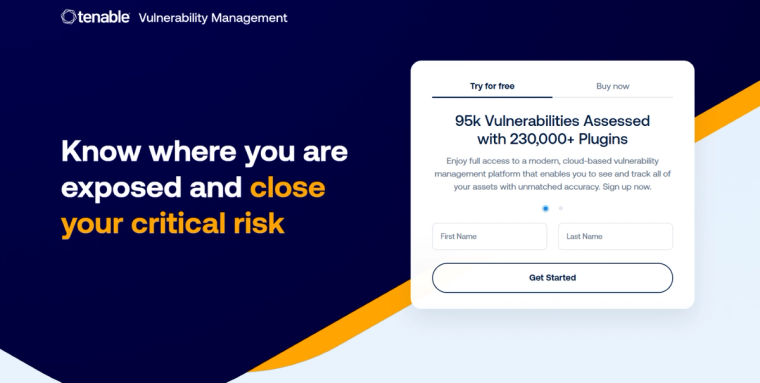
Tools: Prisma Cloud, OWASP ZAP, Tenable
Key Capabilities
- Vulnerability scanning for cloud workloads, containers, APIs, and source code
- Security misconfiguration detection in infrastructure-as-code and cloud environments
- Continuous compliance checks aligned with major standards
Pros
- Automates security testing within the DevOps lifecycle (DevSecOps)
- Provides visibility across hybrid and multi-cloud environments
- Ensures compliance with regulatory frameworks (SOC 2, HIPAA, PCI-DSS)
Best Fit Industries
- Government and Defense
- Healthcare and Pharma
- Banking and FinTech
- SaaS Providers
- Energy and Utilities
Tips and Tricks
- Use Prisma Cloud to scan Terraform and CloudFormation templates before deployment
- Integrate OWASP ZAP into CI/CD pipelines to catch API and web vulnerabilities pre-production
- Leverage Tenable’s dashboards for a unified view of risk posture across assets
6. Monitoring and Observability
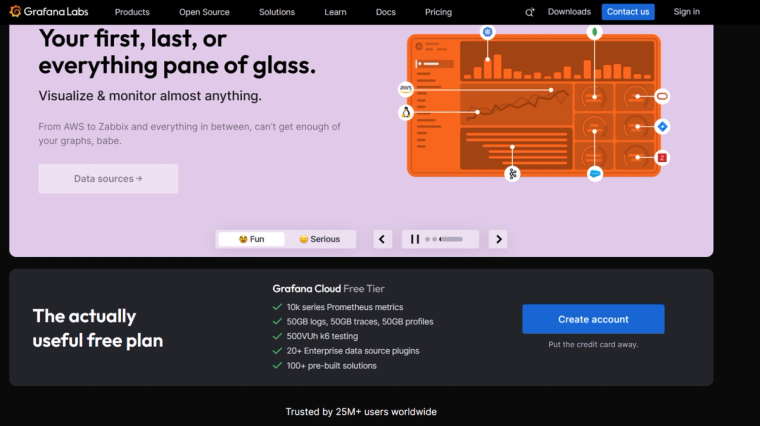
Tools: Dynatrace, Prometheus, Grafana
Key Capabilities
- Full-stack metrics collection, distributed tracing, and log aggregation
- Anomaly detection and root cause analysis (AI-assisted in Dynatrace)
- Custom dashboards and alerts for system health
Pros
- Delivers real-time visibility into application and infrastructure performance
- Supports site reliability engineering (SRE) practices through service-level indicators (SLIs/SLOs)
- Scales effectively in containerized and cloud-native environments
Best Fit Industries
- Cloud Services
- SaaS and Web Applications
- Telecommunications
- Media and Streaming
- Retail Platforms
Tips and Tricks
- Integrate Prometheus exporters with Kubernetes workloads for detailed metrics
- Use Grafana’s multi-data source capabilities to build unified dashboards across systems
- Leverage Dynatrace’s Davis AI engine to automatically identify root causes of system issues
7. Documentation and Testing
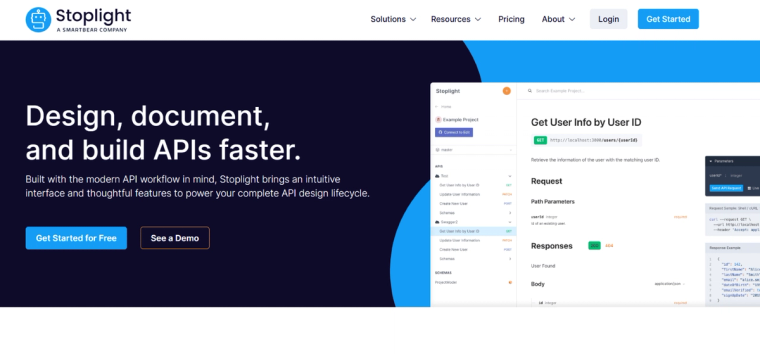
Tools: Stoplight, Swagger (OpenAPI), Dredd
Key Capabilities
- API-first design with schema validation and visual editing
- Automated mock servers and SDK generation
- Contract testing to verify compliance between API spec and implementation
Pros
- Encourages consistency and accuracy through design-first practices
- Improves onboarding for API consumers through interactive documentation
- Reduces regressions and integration failures
Best Fit Industries
- Public APIs and SaaS Platforms
- Financial Services
- Logistics and Transportation
- EdTech and Learning Platforms
Tips and Tricks
- Use Stoplight’s modeling and visualization tools to speed up API design without manual YAML editing
- Integrate Swagger UI into developer portals for real-time "try-it-now" testing
- Automate Dredd contract tests in CI to ensure APIs conform to the OpenAPI spec during each deployment
Integration Readiness Checklist
An In-Depth Pre-Implementation Guide for Successful System Integration
System integration projects—whether you're connecting SaaS platforms, synchronizing IT workflows, implementing data pipelines, or deploying APIs—are high-stakes undertakings. Poor planning leads to data loss, system conflicts, and downtime. This Integration Readiness Checklist outlines all the key areas that must be evaluated before implementation begins, ensuring your project is secure, scalable, and aligned with business goals.
Have a Clear Business Objectives:
1.What to Validate:
- What business problem is the integration solving? (e.g., eliminate duplicate data entry, automate ticket flow, enhance visibility)
- Are success metrics defined? (e.g., 50% reduction in incident resolution time, full synchronization within 60 seconds)
- Has leadership or sponsor buy-in been secured?
Articulating measurable business outcomes ensures that the technical work is justified and appropriately prioritized. Without this clarity, teams may build technically functional but strategically irrelevant solutions.
Best Practice: Document objectives in an Integration Charter or Project Brief and ensure all stakeholders align before design begins.
2. Identified Stakeholders and System Owners
What to Validate:
- Who owns each system or data source involved in the integration?
- Are roles and responsibilities defined (e.g., technical lead, compliance owner, business SME)?
- Have relevant departments been looped in (e.g., InfoSec, IT Ops, Legal, Data Governance)?
Integration impacts multiple teams. Identifying stakeholders early prevents project delays and political bottlenecks.
Best Practice: Create a RACI matrix (Responsible, Accountable, Consulted, Informed) and establish a cadence of cross-functional check-ins.
3. Data Inventory & Flow Mapping
What to Validate:
- What specific data will be exchanged (e.g., incidents, customer records, transactions)?
- Are data sources and targets clearly defined?
- Are transformation rules, field mappings, and normalization logic documented?
Clear visibility into how data will move—what goes where, when, and in what format—is essential. This also includes directionality (uni-directional, two-way) and update logic (e.g., overwrite vs. append).
Best Practice: Use visual data flow diagrams or BPMN tools to illustrate the end-to-end journey of data across systems.
4.Integration Use Cases & Edge Cases
What to Validate:
- Have all business and technical use cases been outlined?
- Are exceptions, retry scenarios, and partial-failure handling specified?
- Will legacy system behaviors introduce edge cases?
Defining use cases helps prioritize features and functionality. Equally important is identifying what should happen when something goes wrong, such as a downstream system being unavailable or a data mismatch.
Best Practice: Document standard and non-standard scenarios in user stories or sequence diagrams for testing and stakeholder review.
5.Security, Privacy & Compliance Review
What to Validate:
- Will the integration handle personally identifiable information (PII), health data, or financial records?
- Have regulatory standards like GDPR, HIPAA, CCPA, or PCI-DSS been addressed?
- Is there a data minimization strategy in place?
Security cannot be an afterthought. Integration often exposes data between internal and external systems, creating attack vectors and compliance risks.
Best Practice: Conduct a threat model and a Data Protection Impact Assessment (DPIA) early in the design phase. Use encrypted channels (TLS/HTTPS), token-based authentication (OAuth 2.0), and least-privilege access principles.
6.Credentials & Access Prepared
What to Validate:
- Do you have API keys, access tokens, or service accounts for each system?
- Are permissions scoped properly (read, write, admin)?
- Have access approvals been secured from InfoSec or system admins?
Credential access is one of the most common blockers in integration work. Getting access early avoids stalling the technical build later.
Best Practice: Use vault solutions (e.g., HashiCorp Vault, AWS Secrets Manager) for secure storage and rotation of credentials.
7.Technical and Infrastructure Readiness
What to Validate:
- Are your systems and network ready for real-time or batch-based data transfer?
- Are there known API limitations (rate limits, throttling, latency)?
- Is the integration platform (e.g., ZigiOps, Kafka, Workato) configured to handle expected load?
Infrastructure limitations can derail even the best-planned projects. Consider bandwidth, concurrency, and latency under peak loads.
Best Practice: Run performance benchmarks or load simulations in staging environments. Prepare queueing mechanisms (e.g., Kafka, SQS) if needed.
8. Logging, Monitoring & Alerting Strategy
What to Validate:
- Are logs collected for each step of the integration pipeline?
- Is alerting configured for failures, delays, or threshold violations?
- Will logs feed into a centralized SIEM or observability platform?
You can’t fix what you can’t see. Without structured logging and proactive alerts, teams risk discovering failures long after they occur.
Best Practice: Use correlation IDs to trace a transaction across systems and include monitoring hooks into tools like Dynatrace, Grafana, or ELK.
9.Robust Error Handling & Recovery Plan
What to Validate:
- What happens when a message fails to deliver? Will it be retried? Logged? Escalated?
- Can the system gracefully recover after an outage?
- Are there clear escalation and remediation procedures?
Failure is inevitable. What matters is how the system—and the team—responds. Effective error handling ensures reliability and trust.
Best Practice: Design a fallback queue for undelivered messages and build retry logic with exponential backoff. Establish SLAs for incident response.
10.Testing & Validation Readiness
What to Validate:
- Are sandbox environments available for each system?
- Do you have access to test data sets that simulate real-world complexity?
- Are automated integration and regression tests defined?
Testing is more than validation—it’s how you de-risk deployment. This should include unit tests, contract testing, end-to-end testing, and performance testing.
Best Practice: Use contract testing tools like Dredd or Postman’s schema validators. Include rollback plans and test them in advance.
11.Post-Go-Live Support & Maintenance Plan
What to Validate:
- Who owns the integration post-launch (monitoring, updates, support)?
- Are SLAs, support escalation paths, and versioning strategies in place?
- Is documentation available for support teams and future developers?
The integration lifecycle doesn’t end at deployment. Ongoing changes in APIs, systems, or business rules require structured support.
Best Practice: Schedule regular integration health checks and version upgrades. Use playbooks for triaging common issues and automate alerting for SLA breaches.
Overall, integration is no longer a one-time project—it is an ongoing process at the heart of digital transformation. This checklist helps you prepare thoroughly, avoid costly surprises, and deliver resilient, secure, and future-ready integrations.
Use this as a live document throughout your integration project lifecycle—from pre-design to post-launch optimization.
Conclusion
System integration in 2025 isn’t just about connecting APIs — it’s about building a secure, intelligent, and scalable nervous system across your digital enterprise. With tools like ZigiOps, Kafka, and API gateways, organizations can move from fragile, custom scripts to robust, automated workflows that drive growth and resilience.
The sooner you modernize your integration stack, the faster your business can innovate.
You can also go ahead and try ZigiOps via our free trial – fast and easy, in minutes.