What Is API Integration? The No-Code Guide for 2026

API integration is the process of connecting two or more applications through their Application Programming Interfaces (APIs) so they can automatically exchange data and trigger actions in each other, without anyone re-entering information by hand. It is what lets a new ticket in Jira create a matching incident in ServiceNow, or a closed deal in Salesforce update your finance system, the moment it happens. Modern no-code platforms take the idea further, replacing custom scripts with a guided, visual setup.
If you searched for this term, there is a good chance you are not looking for a computer-science definition. You are trying to figure out whether "API integration" is something your team can actually pull off, or whether it means hiring a developer, opening a ticket with IT, and waiting three sprints. Fair question. Let's answer it properly.
API Integration Meaning: Breaking Down the Two Halves
To understand "api integration meaning," it helps to split the phrase in two.
An API (Application Programming Interface) is the set of rules a piece of software publishes so other software can ask it for data or tell it to do something, without needing access to its internal code. Think of it as a service counter: you submit a request in the format the system expects, and it hands back a response.
Integration is the ongoing relationship built on top of that interface: the trigger that starts the exchange, the mapping that translates one system's fields into another's, and the logic that decides what happens next. A single API call is a transaction. An integration is what keeps two systems in sync, call after call, for as long as the connection exists.
Put together, API integration is different from a few related terms people often use interchangeably:
- Not the same as a webhook. A webhook is one delivery mechanism, a push notification the moment something changes. Polling, where a platform checks the API on a schedule, is another. Most real integrations use a mix of both.
- Not the same as a plugin. A plugin usually lives inside one application and extends what that application can do. An API integration connects two independent systems that would otherwise know nothing about each other.
- Not automatically "no-code." APIs are, by default, a developer-facing tool. No-code integration platforms are what remove the coding requirement, and that distinction is the whole reason this guide exists.
The Problem With Doing API Integration the Old Way
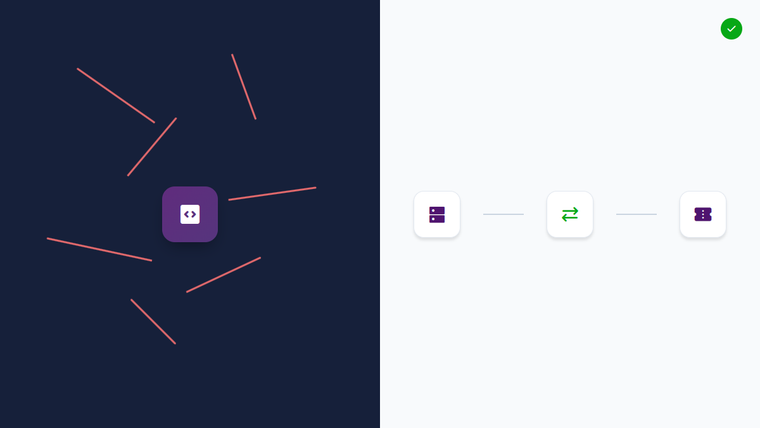
Ask any Service Manager, DevOps engineer, or Operations Manager how their tools talk to each other, and you will usually hear one of two answers: "a developer built something custom a while back," or "they don't, someone updates both by hand." Neither is a great place to be.
Custom-coded integrations require someone who understands REST or SOAP calls, authentication flows, and the specific quirks of each vendor's API documentation. That is a scarce, expensive skill set to point at what is fundamentally plumbing work. Worse, the moment a vendor ships a new API version, deprecates a field, or changes a rate limit, that custom script can quietly break, and nobody notices until data stops flowing.
Manual re-entry is the fallback, and it is worse in a different way: it is slow, it is error-prone, and it means two teams are never actually looking at the same information at the same time. In ITSM and DevOps environments especially, that lag is where incidents get missed and SLAs get blown.
The Industry Is Racing Toward API-First, and AI Is Raising the Stakes
This is not a niche concern. Postman's 2025 State of the API Report, based on a survey of more than 5,700 developers and API professionals, found that 83.2% of respondents have adopted some level of an API-first approach, and nearly a quarter are now designing APIs specifically so AI agents can consume them.
That AI angle matters more than it might first appear. AI assistants and copilots are themselves becoming a new category of API consumer, which is part of why analysts treat API management as its own discipline. It is significant enough a category that Gartner maintains a dedicated Magic Quadrant for API management, tracking how platforms handle governance, security, and scale.
Meanwhile, the systems you are trying to connect keep publishing their own evolving API surfaces. ServiceNow, for example, documents a full set of REST APIs for create, read, update, and delete operations across its platform, and every version bump is something a custom integration has to keep up with.
Why does this happen? Because every application vendor moves at its own pace, and nobody outside that vendor controls the release calendar. The practical takeaway: whatever connects your systems needs to be built to absorb that kind of change, not just survive the first deployment.
Enter No-Code API Integration Platforms
This is where no-code integration platforms, sometimes grouped under the analyst term iPaaS (integration platform as a service), change the equation. Instead of a developer writing and maintaining a script against each API, the platform itself holds the connector, the authentication handling, and the update responsibility. Users configure what data moves and when, through a UI, not a code editor.
ZigiOps is one example built specifically for enterprise ITSM, monitoring, DevOps, cloud, and CRM tools. It is 100% code-free from setup to daily use, does not store any of the data it moves between systems, and runs as a standalone application rather than a plugin bolted onto one of the connected tools. It is ISO 27001 certified, and because it is not metered by call volume, there is no limit on the number of transactions an integration can process.
None of that replaces understanding what API integration is. It just changes who has to do the technical heavy lifting, which for most IT and operations teams is the actual goal.
Traditional API Integration vs. No-Code Platforms Like ZigiOps
The table below lays out the practical differences, not vague adjectives, so you can weigh the trade-offs for your own environment.
| Criteria | Traditional Custom-Coded API Integration | No-Code Platforms (e.g., ZigiOps) |
|---|---|---|
| Setup approach | Developer writes and tests custom scripts against each system's API | Connect systems and map fields through a guided UI, no scripting |
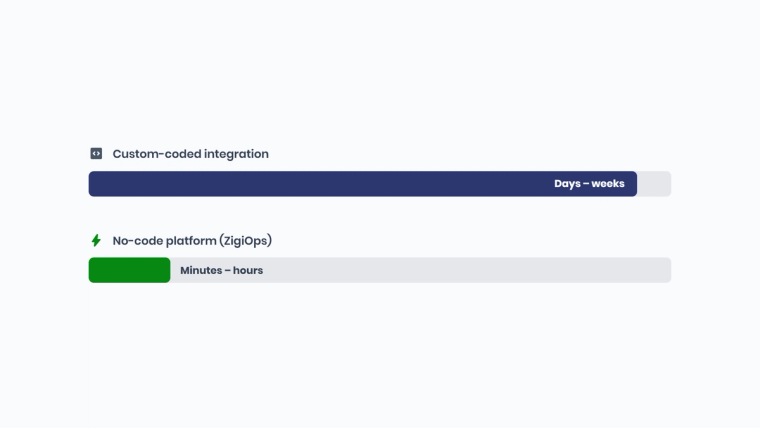
| Time to first working integration | Days to weeks, depending on API documentation quality | Minutes to hours using pre-built integration templates |
| When the vendor changes their API | Script breaks; a developer has to diagnose and redeploy a fix | Platform vendor maintains and updates the connector |
| Skillset required to build it | Developer familiar with REST/SOAP, auth flows, and error handling | Service Manager, ITOM, or Ops team member, no coding background needed |
| Data handling | Depends entirely on how the custom middleware was built and audited | ZigiOps does not store the data it transfers between systems |
| Transaction volume and cost | Often capped or billed per call, depending on tooling used | Unlimited transactions with ZigiOps, no per-call fees |
| Security certification | Depends on internal code review and infrastructure practices | ISO 27001 certified platform with built-in safeguards |
5 Things to Check Before You Build (or Buy) an API Integration
- Map your must-have fields first. Before evaluating any tool, list exactly which fields, statuses, and attachments actually need to move between systems. Vague scope is the most common reason integration projects run over.
- Ask whether the vendor stores your data. Some integration tools cache or persist transferred data as part of processing. If compliance matters to your organization, confirm this explicitly rather than assuming.
- Confirm bi-directional support if you need it. Plenty of "integrations" only push data one way. If both teams need to see updates in real time, verify the platform updates records in both connected systems.
- Look for pre-built templates for your specific systems. A platform with an existing template for, say, Jira and ServiceNow will get you live far faster than one that treats every pairing as a custom build from scratch.
- Test with a real environment before committing. A short trial or guided demo against your actual instance surfaces edge cases (custom fields, unusual workflows) that generic documentation never will.
See Code-Free API Integration in Action
ZigiOps connects 58+ ITSM, monitoring, DevOps, cloud, and CRM tools, with no data storage, unlimited transactions, and ISO 27001 certified security. Book a demo to see it against your own systems.
The Short Version
API integration connects applications through their APIs so data and actions flow automatically between them. Doing that with custom code works, but it puts your team on the hook for every future API change. No-code platforms like ZigiOps move that maintenance burden onto the platform itself, while keeping the setup inside a guided UI that does not require a developer.
If you are mapping out a specific pairing next, our guides on ServiceNow-Jira issue mapping and field mapping in integrations go a level deeper into how the data itself gets translated between systems. If you are watching how AI fits into this picture, our piece on the MCP protocol and AI integration covers where that is headed.
Frequently asked questions
What is API integration in simple terms?
It is connecting two or more software systems through their APIs so they automatically send data and trigger actions in each other, instead of someone copying information between them by hand.
Is API integration the same as a webhook integration?
No. A webhook is one delivery method inside API integration, pushing data the moment an event happens. API integration is the broader relationship and can also use polling, where the platform checks the API on a schedule instead of waiting for a push.
Can API integration be done without writing code?
Yes. No-code platforms like ZigiOps connect to each system's API behind a guided interface, so teams configure triggers, field mapping, and conditions visually instead of writing custom scripts.
What is the difference between an API and an API integration?
An API is the interface one application exposes so other software can request or send it data. An API integration is the ongoing connection, built on one or more APIs, that keeps two or more systems synchronized over time.
Can ZigiOps integrate systems that do not have a public API?
ZigiOps works through each connected system's available API, so a system with no documented API generally cannot be connected. ZigiOps currently supports 58 or more ITSM, monitoring, DevOps, cloud, and CRM systems out of the box, with new connectors added on an ongoing basis.
How much does API integration typically cost?
Custom-coded integrations look cheaper upfront but accumulate ongoing developer time every time an API changes. No-code platforms typically charge a platform fee instead of metering by call volume, which is why ZigiOps offers unlimited transactions rather than a per-call price.